Looks cool ngl. Will surely try.
Competitive Programming Operating System
CPOS
One local-first workflow for Codeforces, CSES, and AtCoder: capture samples from your browser, solve inside VS Code, run tests instantly, and use the TUI when you want a fast competitive programming cockpit.
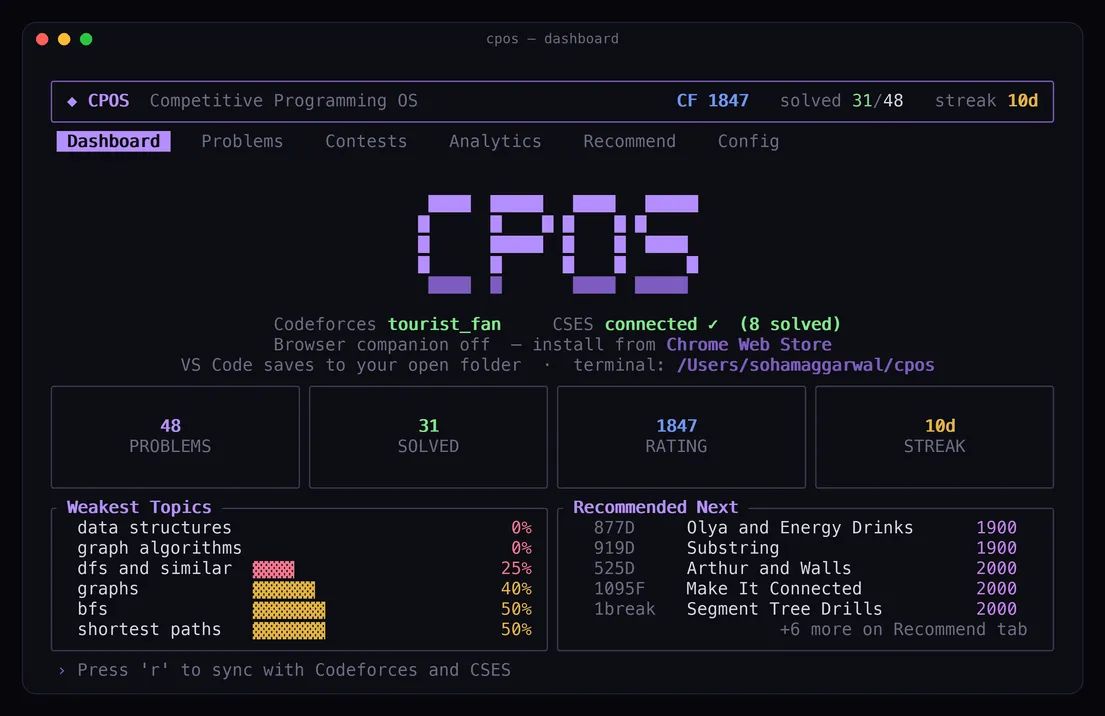

Terminal cockpit
Browse, filter, and plan without opening a problemset tab.
Rating, streak, progress, and what to solve next.
Social proof
Early reactions from people trying CPOS.
Amazing build. I was trying to make something like this, and I would contribute if needed.
This looks so cool. Please add other CP/DSA platforms as well.
It's really cool. I'm going to share it with my friends.
This is goated. How long did you spend working on it?
Ngl this looks great. The idea and workflow are genuinely useful.
Full walkthrough
See the browser, VS Code, and TUI flow working together.
Capture a problem, create the file, run samples, and submit from the local CPOS stack.
Local toolchain
Three pieces, one workspace.
CPOS keeps code, samples, config, and progress on your machine. The apps talk only over localhost.
Command center
Dashboard, problem browser, full statements with math and diagrams, sample tests, contests, analytics, and recommendations in a keyboard-first TUI.
Capture, submit, and more
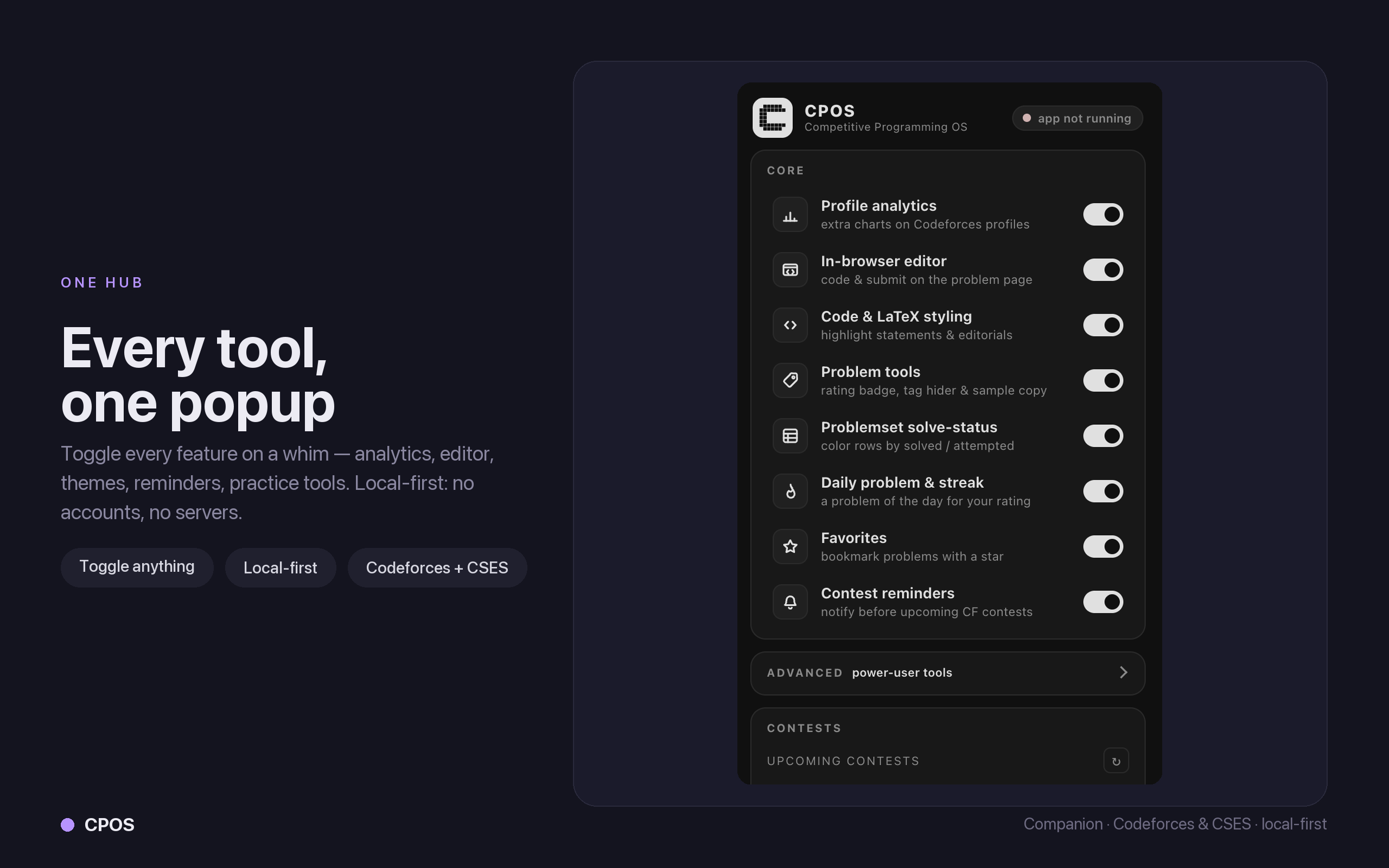
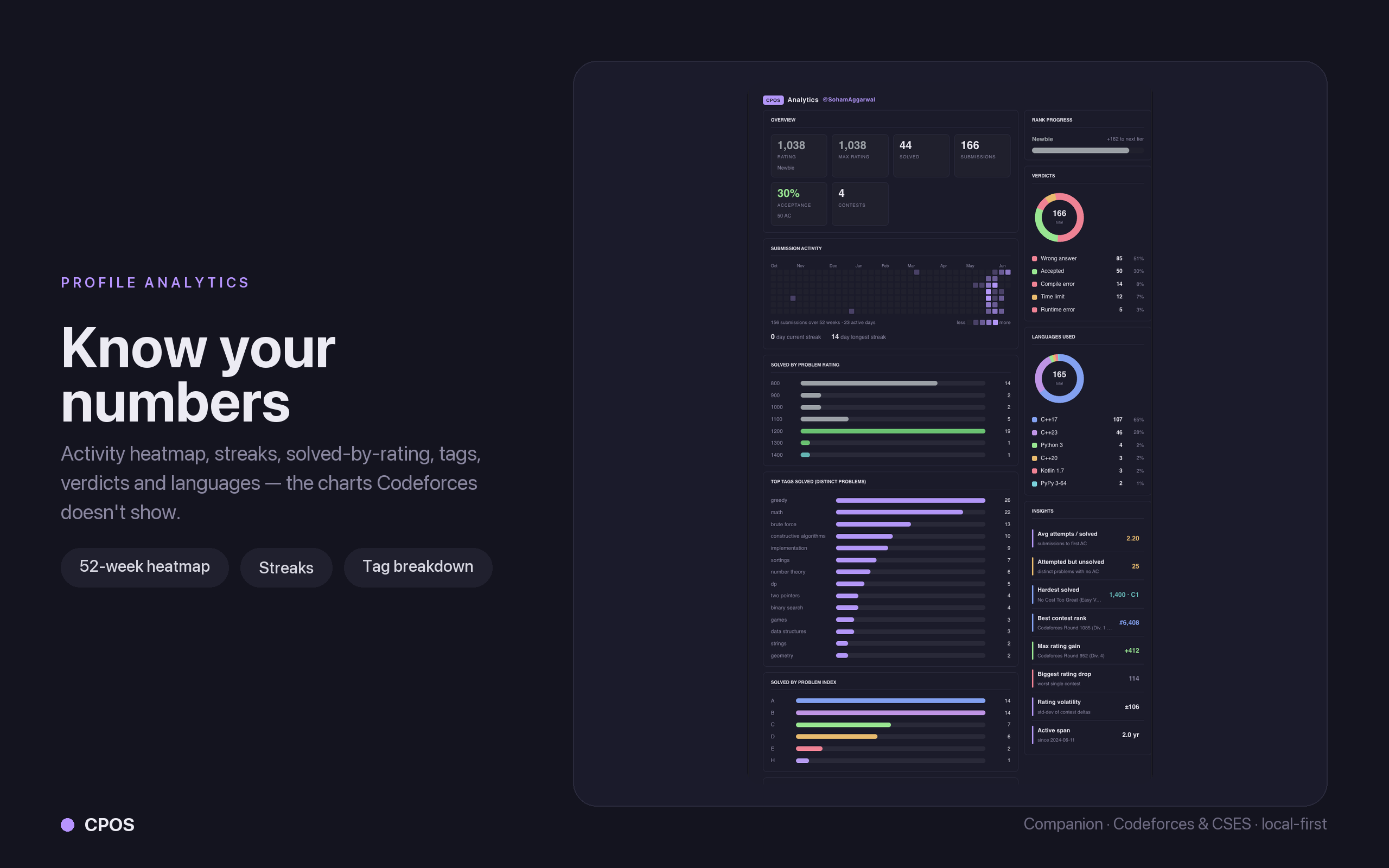
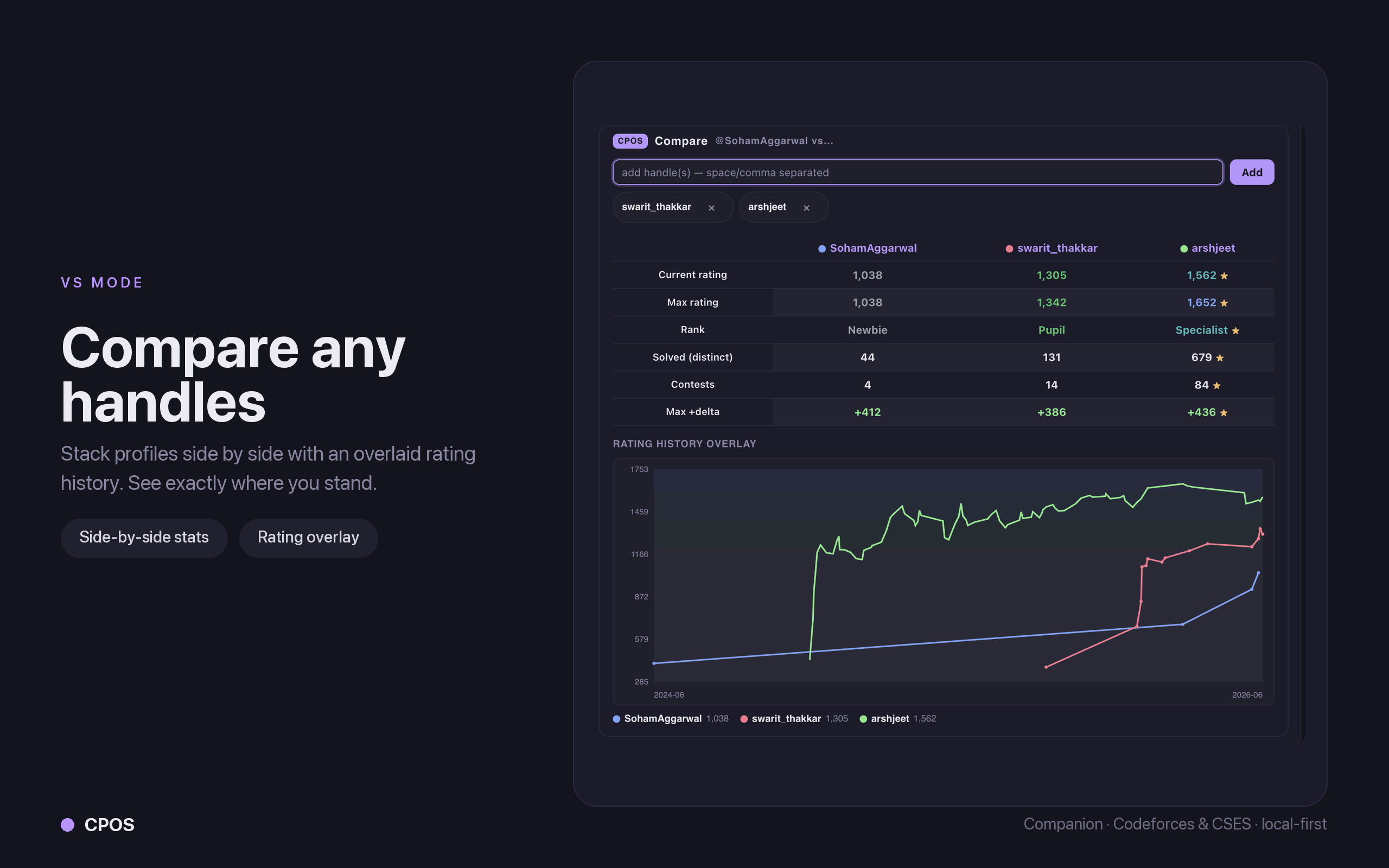
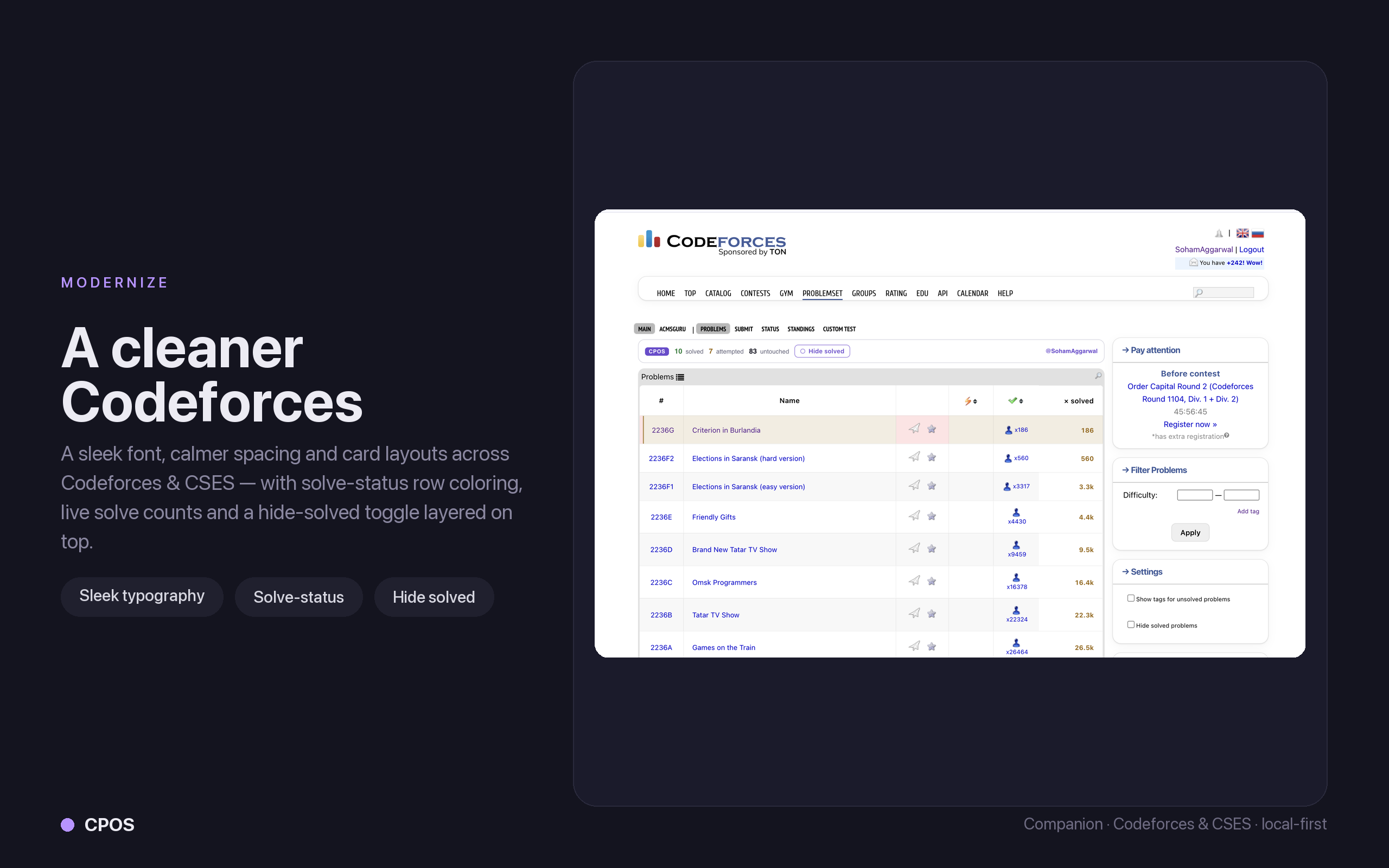
Reads public samples from Codeforces, CSES, and AtCoder, then autofills the judge submit page in your logged-in browser. Opt into profile analytics, an in-browser editor, rating predictions, contest reminders, practice tools, pen & marker annotation, and site themes — each toggled from the popup.
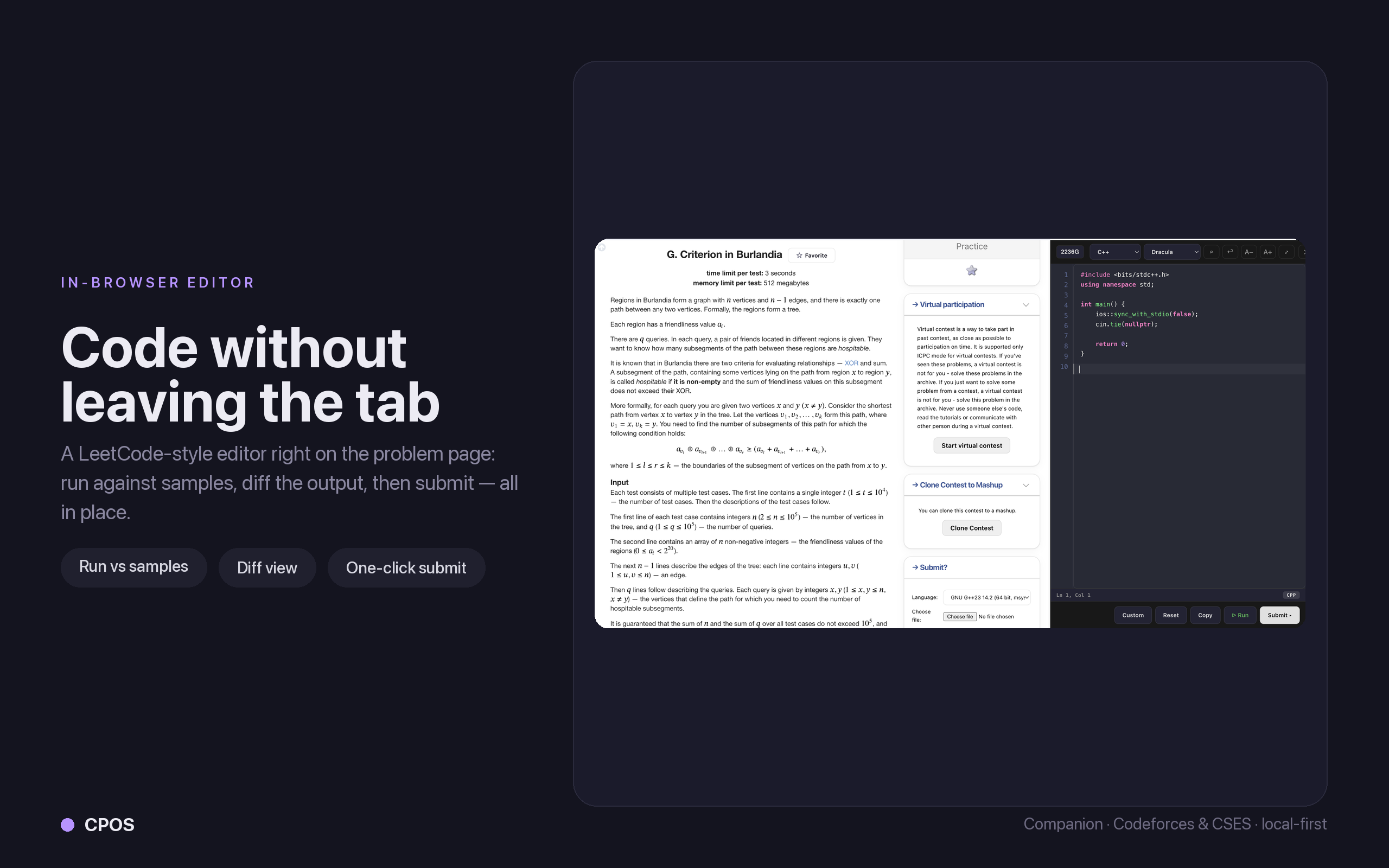
Editor panel
Run samples, inspect output, submit, and keep the active workspace synced with the terminal app.
Editor workflow
Code where you already work.
The TUI helps you pick the problem. VS Code handles tight edit-test loops. The browser companion handles capture and submit, without CPOS touching your judge credentials.

Statement, in-editor or terminal
Read the problem where you solve it.
The companion captures the full statement — limits, samples, math, and diagrams. VS Code renders it in a native Statement tab, while the TUI opens the same captured problem with v, responsive sample panels, terminal-native LaTeX, and Kitty/Sixel/iTerm2 graphics with a Unicode fallback.
Browser companion
See the companion in action.
Capture and submit on Codeforces, CSES, and AtCoder, plus a practice and on-page tooling layer over Codeforces & CSES. Local-first, popup-controlled, with a focused Codeforces problem view for split-screen solving.
Install
Start the TUI without installing Rust.
Homebrew and Scoop install prebuilt binaries from GitHub Releases. Cargo remains available for contributors and source builds.
macOS / Linux
Homebrew tap, then normal install
brew tap Soham109/cpos https://github.com/Soham109/cpos && brew install cpos
Windows
Scoop bucket, then normal install
scoop bucket add cpos https://github.com/Soham109/cpos; scoop install cpos
Browser companion
Chrome, Edge, Brave; Firefox from source
VS Code extension
Panel, samples, and submit controls